MotoCMS Website Builder Evolution. Major MotoCMS Updates for 2017
MotoCMS team made a huge leap ahead in 2017. The number of revamped and new features that they added to the website builder impresses. The web creator became more usable and functional. The eCommerce functionality became more advanced. Now, we can say with 100% confidence - MotoCMS website builder is the optimal solution to build an online project you can think of. Check out the major MotoCMS updates of the past year. There is a lot to impress you.
2017 MotoCMS Updates. What's New in the Website Builder?
2017 brought over a dozen of the website builder updates. Every month, we saw the rollout of the new features, enhanced and new functionality, as well as the bug fixes. In this post, we will talk about the major MotoCMS updates in details. First, let's review briefly the characteristics that were added to the web creator in 2017.- The Block, Container, Row, Container, Block, Pages section, Twitter Timeline, Disqus, Video, Accordion, and Text widgets were improved.
- The Password Protection Page received improved UX with the addition of the autofocus to the Password field.
- The SEO pages within the SEO settings provide the users with the ability to tweak SEO title.
- The nesting of the object functionality was updated for the mobile version of the menu widget.
- The admin panel translated to the French, Polish, and Spanish.
- For improved PageSpeed Insights, the Lazy Load effect was added to Google Map.
- The new possibilities to manage columns within a row were added: sort, duplicate, delete.
- The new feature to manage the description in the Slider on various devices was implemented.
- The automatic scrolling was developed to show the added widget on the page.
- The Maintenance mode was added to the system.
- The update procedure was improved.
- Now it is possible to set a sender email address in the Email subsection of the Settings section.
- The new functionality to download files without in-browser preview was added to the Open File Action in the link settings.
- The new functionality was added to the Code Injection sub-section.
- The new option was added to the Design section: to configure the checkbox for the Feedback form and MailChimp widgets.
Now, let's take a look at the major MotoCMS updates of the last year.
MotoCMS update v3.1.0
MotoCMS update v3.1.0 was launched in May 2017. The new website builder update focused on the work with widgets. In order to simplify the way you manage the respective functionality in the dashboard, the ability to copy and paste widgets were added.MotoCMS update v3.1.0 provides the webmasters with the ability to duplicate, copy and paste widgets wherever you need them on your website. The mentioned enhancement will be especially useful to those webmasters who work on several online projects at the same time. If are motivated to launch more projects within a shorter period of time or want to redesign the existing site with the minimum investment of time and energy, than this update is exactly what you were looking for.
To help webmasters speed up the workflow, the new website builder updates contain the possibility to create clones of your widgets. This is especially useful if you need to build new layouts from scratch.

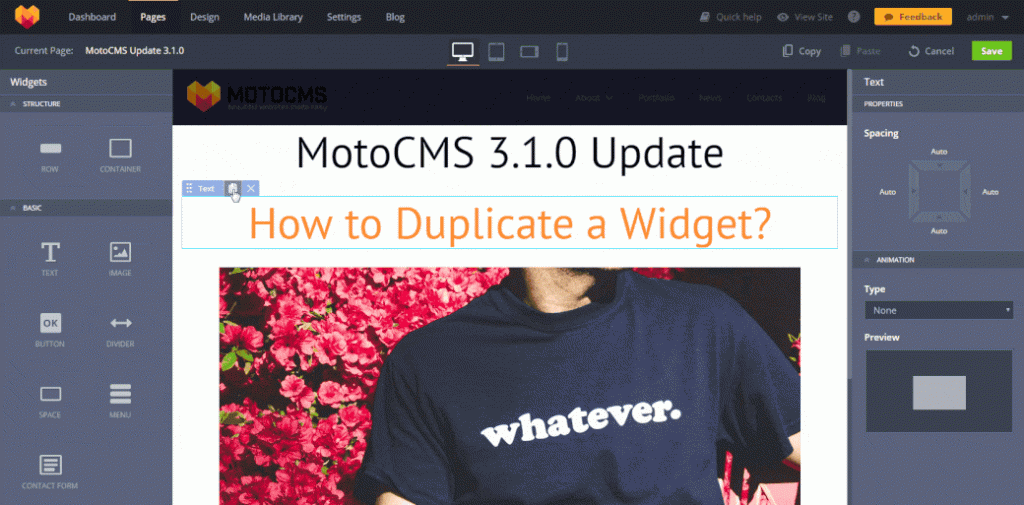
Different from the copy and paste method, the duplication feature allows you to place any widget on the layout straight away, without the necessity to copy it to the clipboard. In order to duplicate the widget, use the small document icon right on the widget's tab. You can create an unlimited number of clone widgets with one click only. Fast and easy.
MotoCMS update v3.1.4
MotoCMS update v3.1.4 was released in the end of August 2017. One of the major enhancements that were added to the web builder is the Font Manager. With its help, you can add custom font types to your web pages and perform different actions with the existing fonts. To achieve this, navigate to Dashboard ->Settings ->Fonts in the admin panel, and browse through the extensive library of fonts your theme goes with.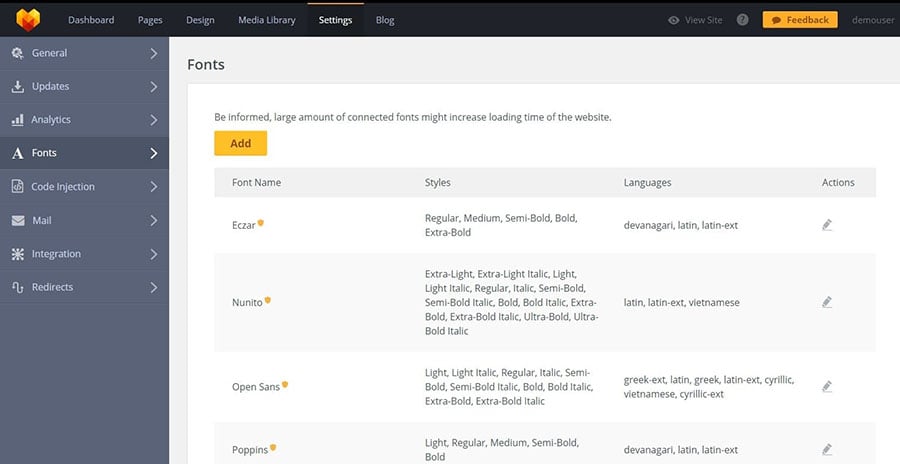 The Font Manager integrates with Google web fonts fully. With its help, you can bring some sort of the typographic creativity to your site. You can add new fonts, select and deselect styles, etc. There is an option to change styles of the fonts that are already used in the website template. In that way, you can change the overall style of the website. The Font Manager supports a number of the popular languages.
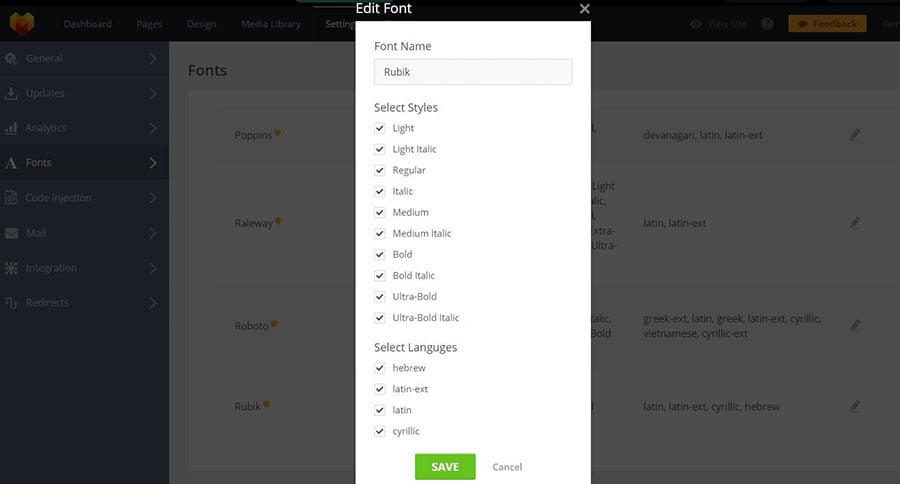 MotoCMS update v3.1.4 supports more language options. Now, there is Portuguese (Brazil) also available in the languages panel.
Additionally, web designers will enjoy the vaster opportunities of website customization. The MotoCMS updates contain the 'Row' widget and the ability to select any color for the theme's background with a color-picker tool.
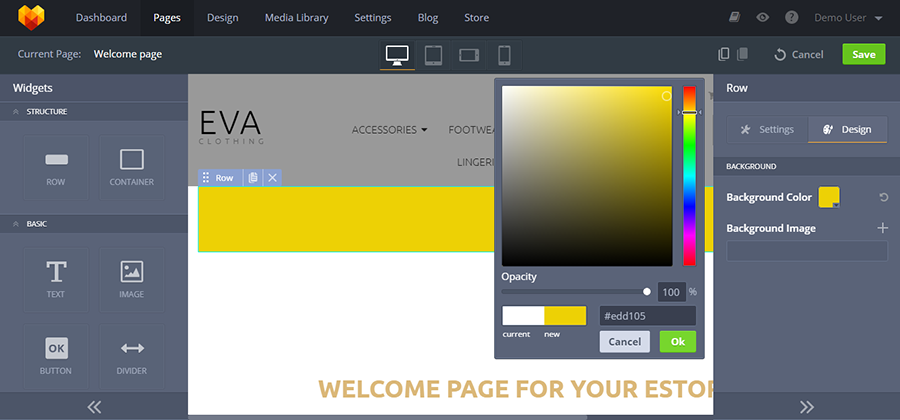 You can add background image for any 'Row' widget of your website and customize it just the way you wish. To do this, select the necessary image from the media library or upload one from the PC. Next, customize the image in the visual mode or add the parallax scrolling effect with a single click.
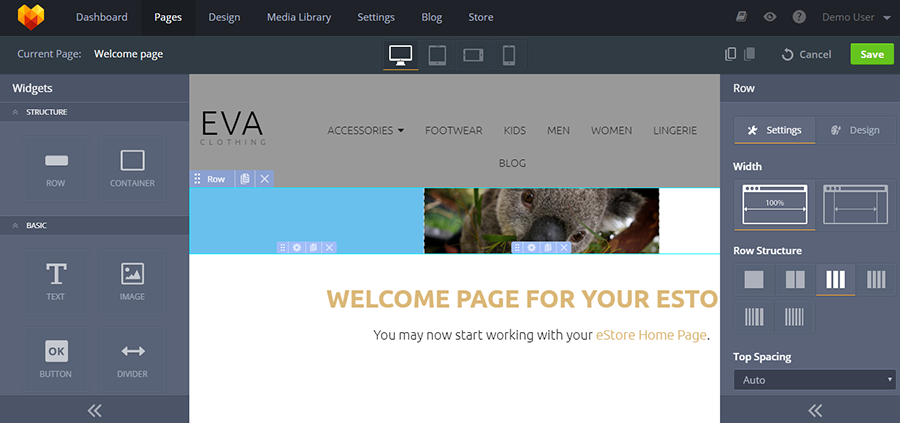
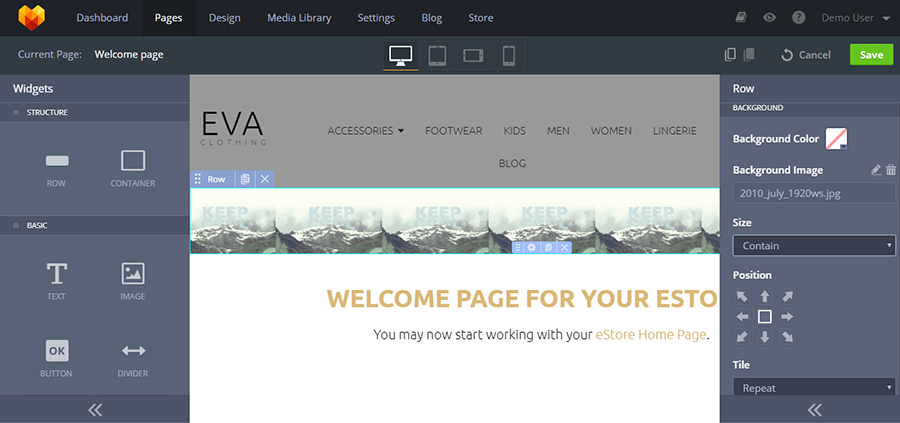 One more new feature of the MotoCMS updates is the possibility to split the rows into several columns and adjust their width with the drag-and-drop. There are also the options to control the top/bottom spacing of the rows, adjust grid behavior on smaller screens, set up column vertical alignment, etc.
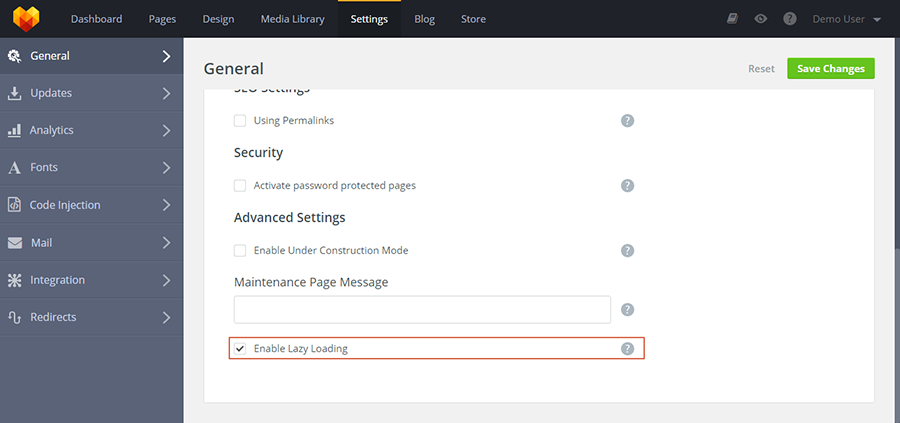
 The MotoCMS update v3.1.4 lets you enable/disable the lazy load effect with a single click. The respective feature is available in the General Settings. Check out the screenshot:
 The MotoCMS updates provide more freedom to express your creative side. You can present the Accordions in the more appealing style with the help of different fonts and icon sizes. Navigate Design -> Widgets -> Accordion to set up different font and icon sizes for accordion captions display on different devices.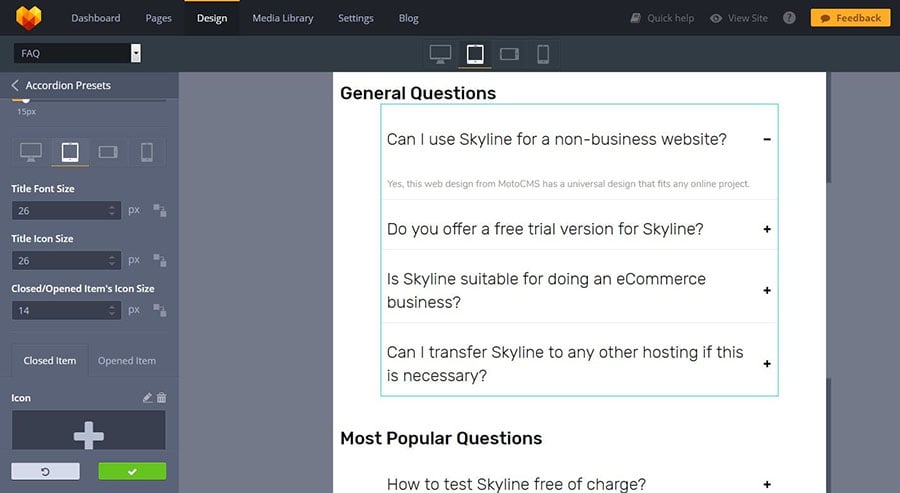
MotoCMS update v3.1.5
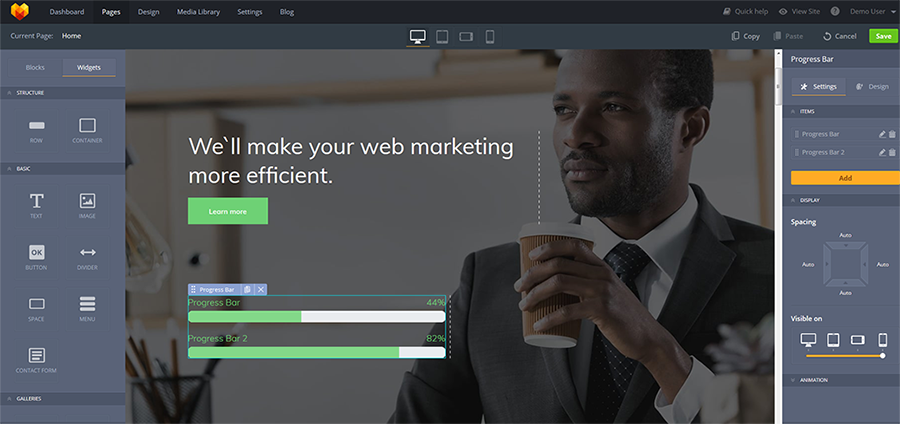
MotoCMS update v3.1.5 was released in October 2017. The new version of the web builder received new settings for the majority of widgets, as well as new and revamped functionality. One of the major enhancements was made to the widget settings, which now give you the ability to tweak the widget visibility across all contemporary devices. You can manage the visibility of widgets across the desktop PCs, tablets or smartphones. While dragging the necessary widgets in the Settings tab, one can decide whether the widgets will be visible across all the three major breakpoints or only one of them.The collection of the MotoCMS widgets was also joined by the progress bar. Now, the users can set up the progress bars for different tasks that are performed on the site. The widget displays the calculated progress percentage. In addition to adding the progress bars to any part of the site, you can also set up the height, width, and color scheme of the element.
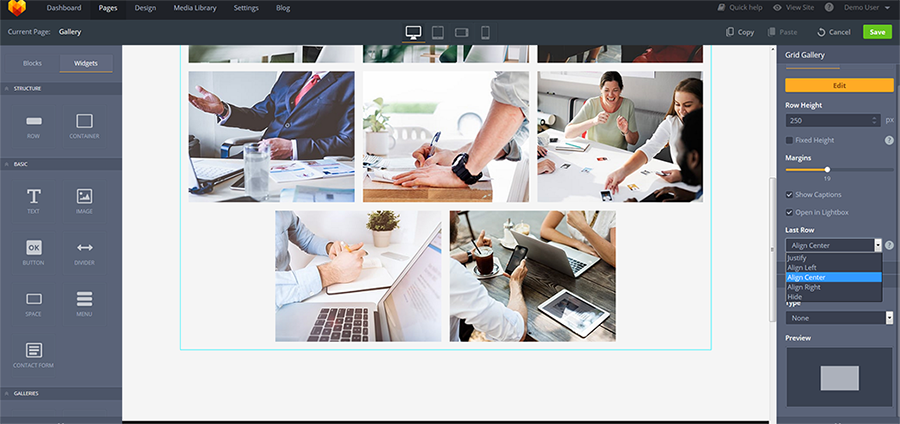
 MotoCMS Grid Gallery widget received a huge update in terms of the number of images and rows that it can display. Now, it can handle a lot of uploaded images. No matter how many images the last row contains, it will look well anyway. You can set up the alignment of the row (i.e. center, right or left).
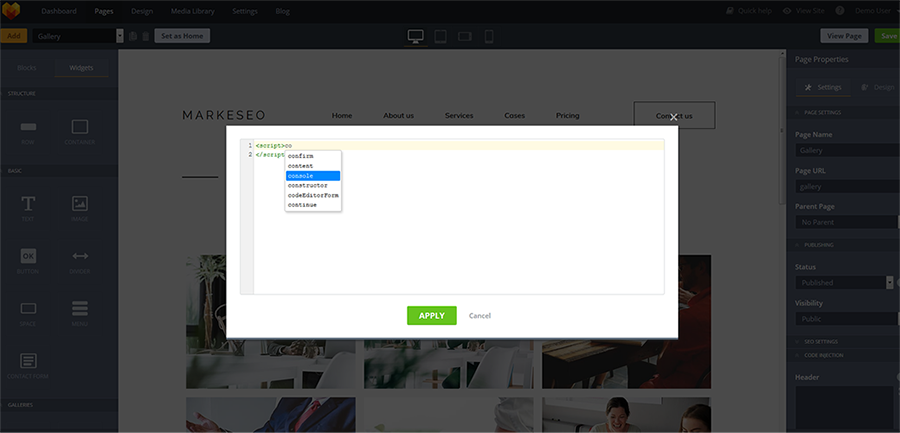
 The MotoCMS update v3.1.5 provides you with the ability to embed the code pop-up for Header and Footer sections. The website builder update lets you create code inside the pop-up with syntax highlighting.
 MotoCMS became more SEO-friendly. The web builder update brought the improved SEO section, which now includes the ability to change the “lang” attribute. In that way, the non-English site owners will receive more visibility in SERPs.
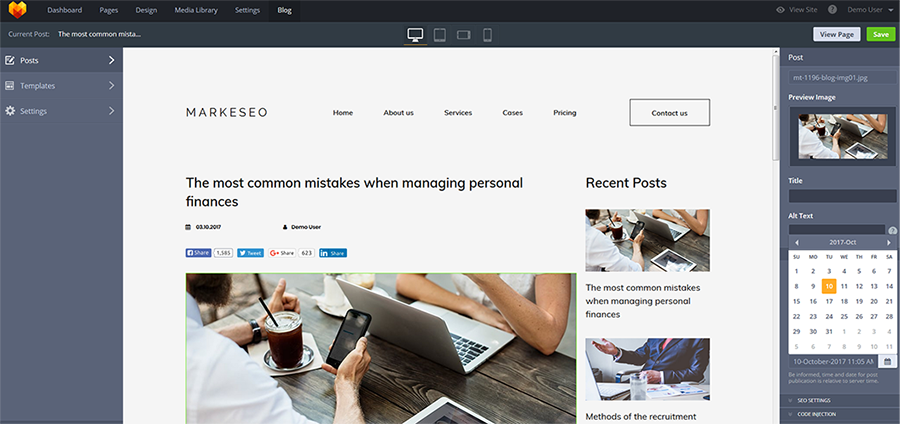
The MotoCMS update v3.1.5 includes the ability to change the date settings for any blog post. The post scheduling functionality gives the web users the ability to manage publications more efficiently.
MotoCMS update v3.1.6
The MotoCMS update v3.1.6 was released in November 2017. It brought the dramatically improved website editing possibilities, as well as the options to undo and redo the actions made in the admin panel. Now, the website builder admin panel includes the ability to undo the actions in case you are not satisfied with the final results. MotoCMS undo and redo doesn’t limit you to reverting one action only. You can undo up to 10 last edits in order to get back to the needed stage of the theme customization. In case you change your mind, you can redo the changes with the redo command.Ecommerce MotoCMS Updates
MotoCMS 3 eCommerce are getting more popular among the web developers. There is no surprise that building feature-rich and product-heave web stores without touching a line of code is more effective and hassle-free than building sites from scratch. With the intention to make the process of the site creation more enjoyable and provide the web community with the best online shopping experience ever, within the MotoCMS updates, the company released a number of updated for the eCommerce engine.- Payment systems were added: QuickPay, Yandex.Kassa, Webmoney.
- Taxes and Shipping options were added to Invoices.
- New possibility to add the product creation date, edit the date, sort products by the creation date.
- Now the order complete email notification includes product variations, custom options, and order shipping address.
- New DateTime picker for the product creation date.
- The settings of the "Add to cart" button action was added to the Catalog List widgets.
- B2B functions, Related Product widget, Bulk hide/show products actions, QuickBooks online accounting software, the possibility to select data format, free shipping under the condition of minimum order amount, the functionality to add fixed shipping price for the order were added.
- The possibility to show notifications when the products are added to cart action was implemented.
- Now website admin and customers can generate PDF invoices.
- Minimum order amount setting was added to the admin panel.
- The possibility to display the number of available products was added to the Product Quantity widget.
- With this update, website admins get a possibility to set a customer loyalty program with permanent discounts for the customers.
- The possibility to hide prices available on the products list (a checkmark in the widgets settings).
- The possibility to add a link to invoice into the message for the customer (macro for messages, which can contain a link to invoice).
- The possibility of search, visual selection, and similar products list editing in the product itself.
MotoCMS 3 eCommerce Update v1.2.6
The update was released in February 2017. In addition to some minor bug fixes, it brought a series of the new features to the eCommerce engine. From now on, you can make use of the Custom Options to set the cost for the extra services of specific products.The grad-and-drop functionality is also available to manage the categories hierarchy.
Did you lack the ability to set the spacing between the currency symbol and the product price? Now, MotoCMS eCommerce theme includes the respective feature.
MotoCMS 3 eCommerce Update v1.2.9
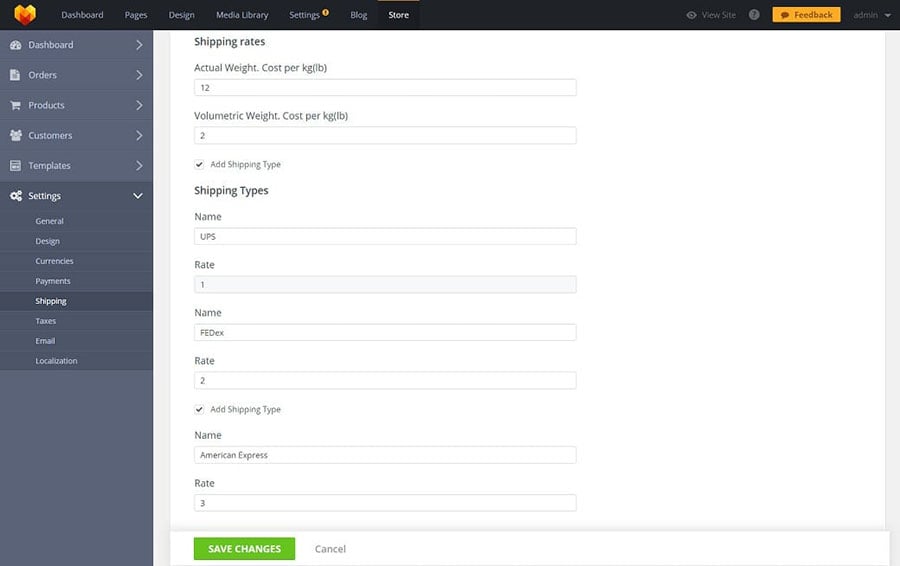
MotoCMS 3 eCommerce Update v1.2.9 brought a series of the greatest enhancements of the last year. MotoCMS eCommerce themes received a number of the new features that can improve the performance of the web stores significantly. MotoCMS 3 eCommerce Update v1.2.9 was all about the Shipping process management.The first thing that is worth to be mentioned is the new shipping cost calculation feature. In order to set up shipping calculation, navigate to the Setting tab in the admin panel. Activate Measurement and Shipping rates settings. Select the measurement system according to your location and set the product shipping cost based on the actual weight and shipping rates. Now, you can add the shipping types to your web store. You can set up to three different shipping methods.
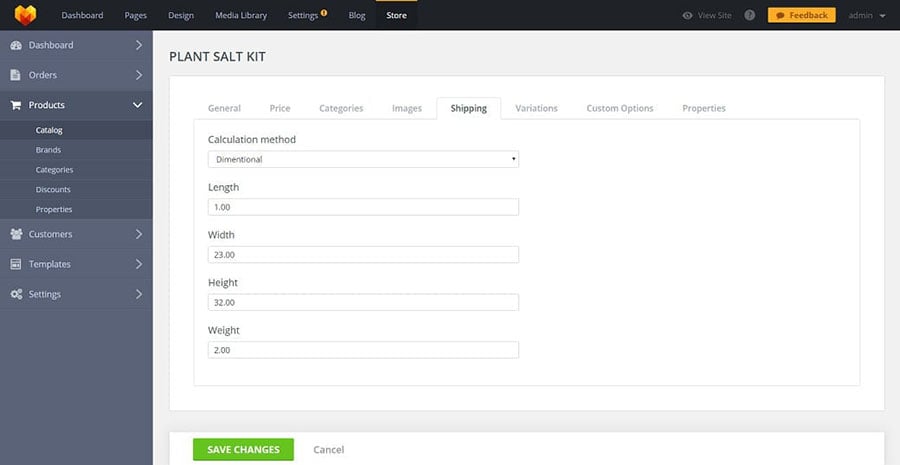
 The MotoCMS 3 eCommerce Update v1.2.9 provides you with the ability to set the calculation methods for your products. As soon as you see your items added to the catalog, click on the Edit icon and choose between the Fixed Price and Dimensional. Choosing the latter, the shipping price will be calculated based on the automatic formula. The formula contains 4 values that you need to customize. These include length, width, height, and weight.
 The update includes the ability to delete several items with a single click. This is made possible due to the checkbox placed next to each item in the catalog. The feature is especially useful for the web stores with huge inventories.
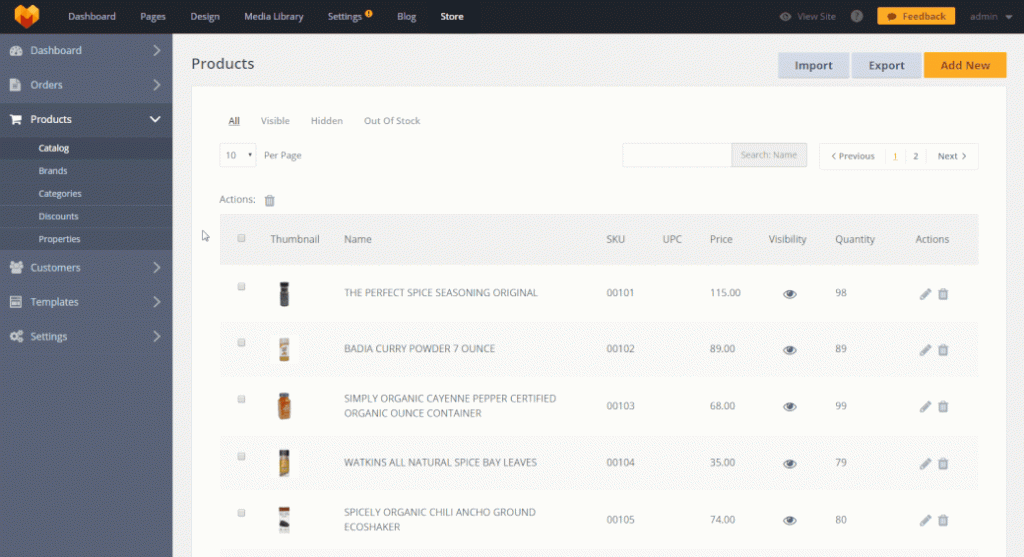 As part of the update 1.2.9, you can also add the lazy load effect to the product catalog page. This will make your eCommerce site more usable and quicker to load.
Summing up MotoCMS updates
The New Year has come. We anticipate the website builder evolution to continue and bring us more impressive features. With MotoCMS themes and advanced builder, site creation has become quick and easy. Haven't you tried the most advanced website builder themes? Grab the designs of your choice in the inventory. Enjoy the quick and easy development of the online projects of any difficulty!Related Also
Create A Landing Page That Converts [MotoCMS Free eBook]
The Best Responsive Landing Page Builder – MotoCMS vs Leadpages
Build a Website on WordPress, Joomla, MotoCMS, OpenCart, or PrestaShop in 5 Days!
Manage HTML5 Themes with MotoCMS Drag-and-Drop Website Builder
Get a Logo To Kill & Be Sure It Will [MotoCMS Logo Design Services]

Get more to your email
Subscribe to our newsletter and access exclusive content and offers available only to MonsterPost subscribers.

Leave a Reply
You must be logged in to post a comment.