How to Create a Blurry Sticky Header

Our simple guide will show you how to create a blurry header just like the one on Apple.com, with Elementor Pro and custom CSS.
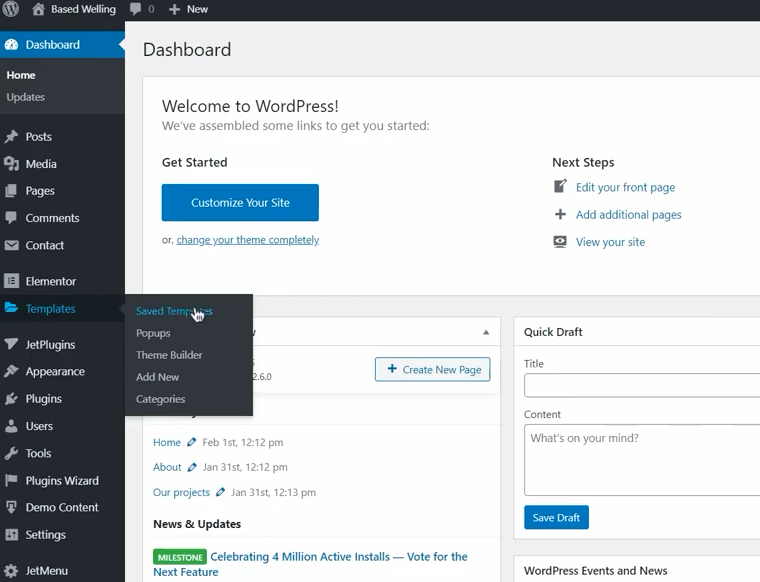
- Let’s jump to the dashboard.

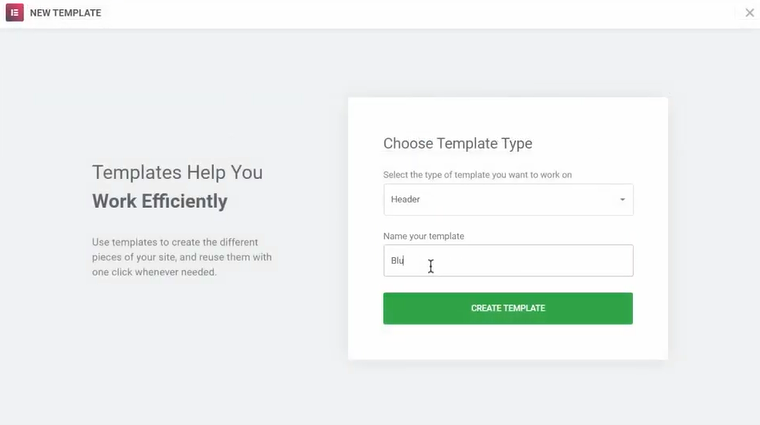
- To create your header, click on Templates builder and choose to Add new. After that, pick your template type (Header) and name it. Confirm with “Create Template”.

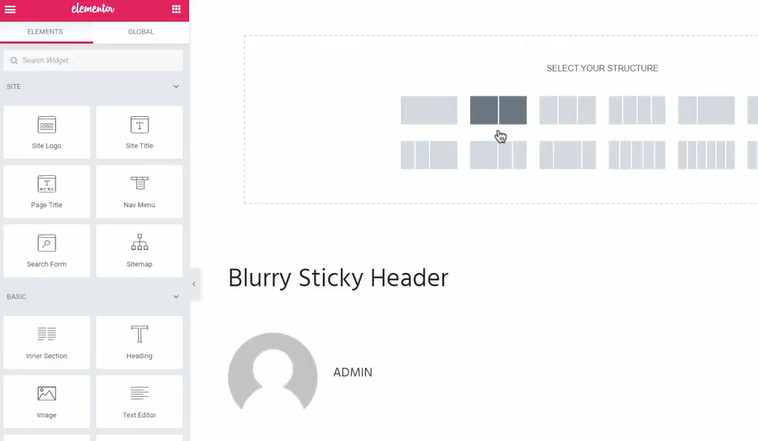
- Select your structure (the second option showing two rectangles).

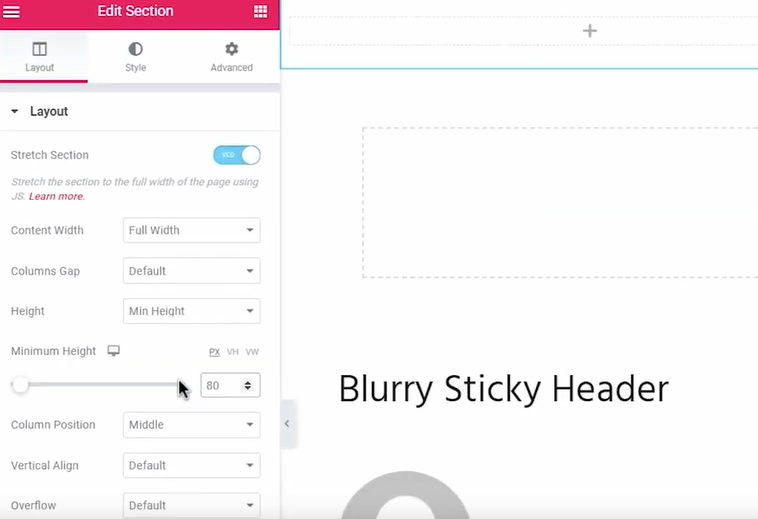
- Edit the layout, adjusting the content width, height, and minimum height as shown below.

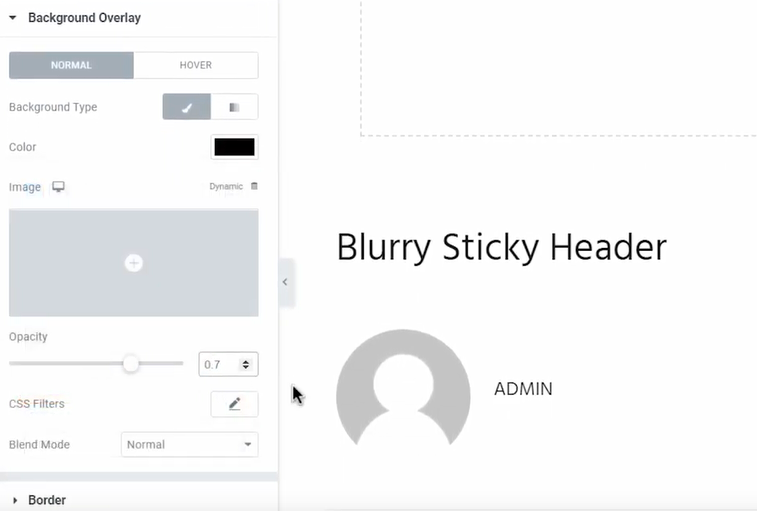
- Now we obviously need to create a new section for the header and add the background. We advise you to go with the background overlay instead of a background tab since it’s way easier to control the opacity of a header with the corresponding slider. Just pick the color and customize its transparency as needed.
 Then throw all the stuff you need in here like logos, menus, etc.
 - Now let’s add the blur. Make sure that the main section is selected (Navigator will help you with that).

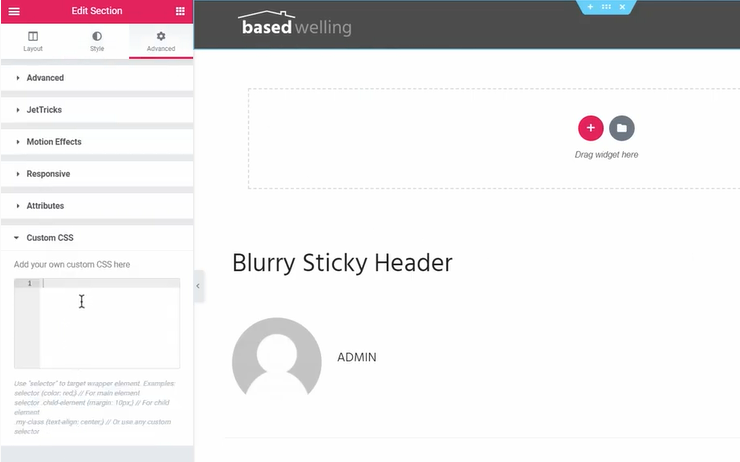
- Go to the Advanced tab and find custom CSS.

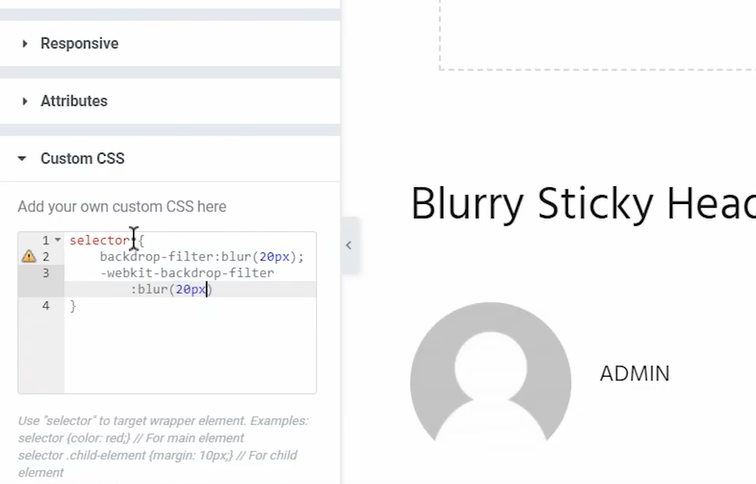
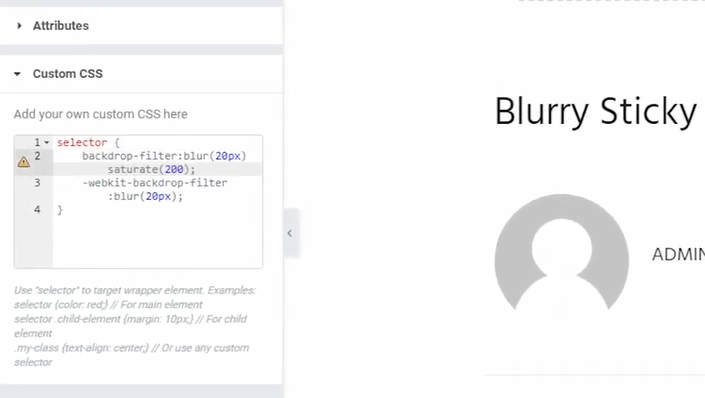
- We’ll add a super simple line of code, which looks like this:selector { backdrop-filter:blur(20px); -webkit-backdrop-filter:blur(20px); }Simply copy and paste in your own header. However, let’s try to figure out what it actually means. I’ll type selector to target our section, and to add a blur to the page under the header we’ll need a backdrop-filter property. It helps to create this cool effect, but the downside of the effect is that some browsers don’t support it (Internet Explorer, Firefox and Opera Mini users may experience some inconveniences). However, this is not a big deal because the major browsers like Chrome and Safari do support the effect, and in case somebody opens your site in a browser that doesn’t support the effect, nothing bad will happen—they just won’t see the blur. To check the data on this topic, go to https://caniuse.com/#search=backdrop-filter and see for yourself.
- So back to the Edit tab. We’ll type in “blur” and the next specification is of how much blur we want. The 20 value is a safe option, which will look moderate but still noticeable. Now we’ll copy this line and add the webkit prefix because some of the browsers require the line to be able to recognize the property.

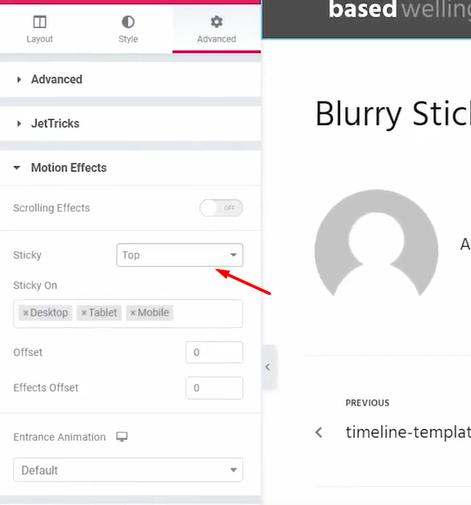
- Now let’s set up the stick functionality. Click on Motion Effects, go for Sticky and choose “top”.

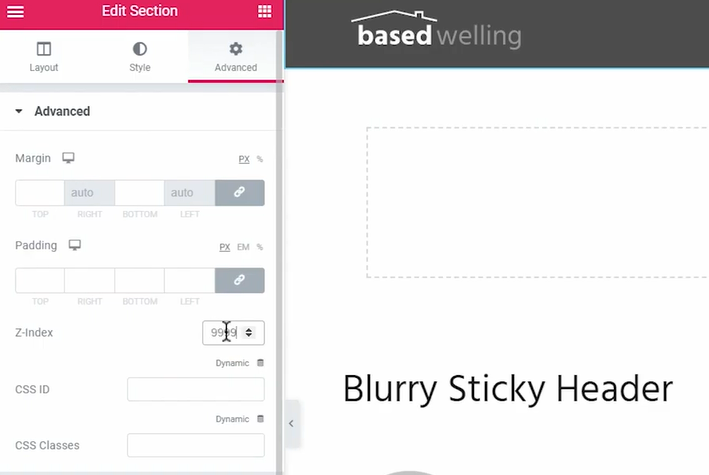
- And the last thing here is Z-index. Set the highest value to make sure that the header is above all the other elements on the page.

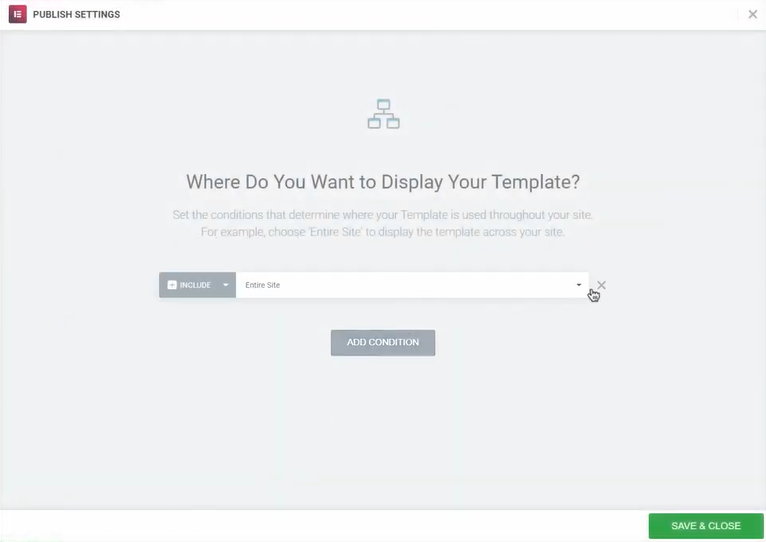
- Now let’s assign the header to a certain location on the site with Publish settings feature and we’re almost done.

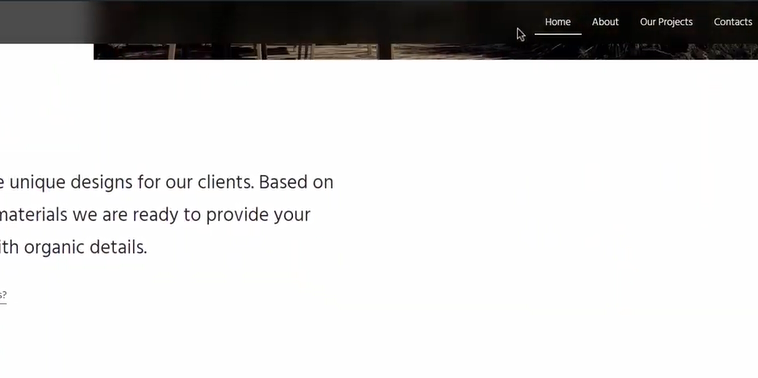
- Now since we want the header to be above the top section on the page, we need to move the section under the header. We can do that by adding some negative margin and there you go. Now the header blurs the page underneath as we scroll down.

- The cool thing about the backdrop filter property is that you can add more values to it by saturating and making the blur background pop a bit more. There’s a whole list of other options you can add to this property, and here’s a link for you to check it out. https://developer.mozilla.org/en-US/docs/Web/CSS/backdrop-filter
 Then throw all the stuff you need in here like logos, menus, etc.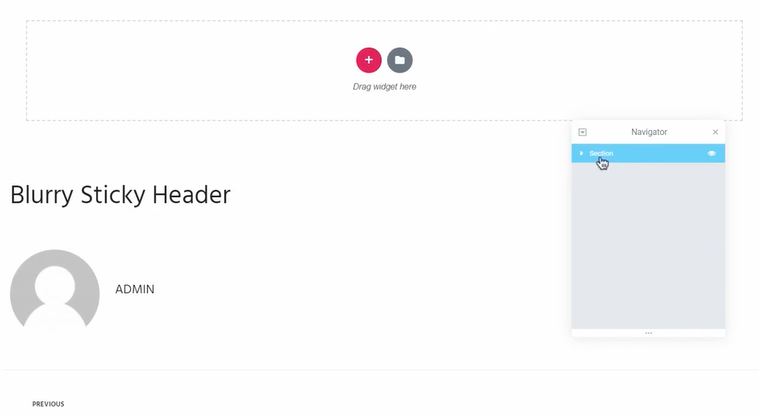
If you like the featured product used in this how-to, you can find this one and hundreds of other high-quality Elementor themes at TemplateMonster.com. They go with premium plugins that you get absolutely for free within the theme. On the site, you can also get a ton of other design assets and products.
Why use Elementor?
The page constructors are very different from each other in their functionality. Some offer limited control over the elements on the site, while others require access to the code to get more serious results. The two most common problems are difficulties with processing dynamic content (blog entries, for example) and the inability to edit certain sections of the topic. Elementor is a popular page builder that has recently released a new version that solves these problems. In fact, this is one of the best releases, given the numerous improvements and enhancements.
In general, Elementor functions as a complete theme constructor, which is targeted not just on a page creating. It uses dynamic content editing to keep your site styles the same everywhere. In addition, Elementor is a plugin that works with any WordPress theme. This way, you don’t have to experiment with page designers to figure out if they are suitable for your theme.
Besides, you don’t have to figure it out all on your own. First, WordPress Elementor has a website that is presentably designed and quite informative: on its pages, you will find information about all the plug-in's currently available features, some of which even have a visual representation in the form of animated pictures. Secondly, WP Elementor has its own YouTube channel with lots of interesting and professionally done videos, so you have some visual reference.
As you’ve probably guessed by now, there’re two versions, a free and the Elementor Pro. The great news is that the first one already offers an impressive toolkit so that you aren’t pressured into making an upgrade. Here are just a few features to explore:
Modifications history
WP Elementor has such a useful thing as the version control, which resembles a mechanism for versioning publications of the WordPress engine. The principle is simple: at certain intervals, a draft of the document is saved, which can then be restored through the editorial menu when you select the necessary copy. Besides the document editions, there is also a list of recent actions that can be reapplied when you click on the corresponding menu item.
Adaptability mode
This tab allows you to view how the edited document will look on various types of devices. Moreover, you can adjust the look if needed. It shouldn’t come as a surprise by now that such adaptability is a requirement to create a modern-looking and functioning site.
Maintenance regimen
Finally, there’s an option to enable maintenance mode, which can be very useful when updating a working site. Here you can configure both the HTTP response code of the server when requesting the closed URLs and the roles of users who can view closed pages, as well as design templates for these service pages.
Read Also
5 Super Easy Elementor Tips and Tricks
A Highly Converted Elementor Popup - Step-by-Step Guide and Tips
Tutorial on How to Create Sticky Sections Overlap Effect with Elementor Pro
How to Create an Animated Scroll Down Arrow with Elementor Free and Pro
Don’t miss out these all-time favourites
- The best hosting for a WordPress website. Tap our link to get the best price on the market with 82% off. If HostPapa didn’t impress you check out other alternatives.
- Monthly SEO service and On-Page SEO - to increase your website organic traffic.
- Website Installation service - to get your template up and running within just 6 hours without hassle. No minute is wasted and the work is going.
- ONE Membership - to download unlimited number of WordPress themes, plugins, ppt and other products within one license. Since bigger is always better.

Get more to your email
Subscribe to our newsletter and access exclusive content and offers available only to MonsterPost subscribers.

Leave a Reply
You must be logged in to post a comment.